
Security Settings
Configure security settings to protect your SaleSpider installation.
Overview
SaleSpider includes multiple security layers:
- Authentication and authorization
- Rate limiting
- HTTPS/SSL encryption
- Database security
- Secure secret management
Authentication
JWT Configuration
Configure JSON Web Token settings:
bash
# JWT secret (minimum 32 characters)
JWT_SECRET="your-super-secret-jwt-key-minimum-32-characters"

# Token expiration
JWT_EXPIRES_IN="7d"  # 7 days
Password Requirements
Default password requirements:
- Minimum 8 characters
- Mix of letters and numbers
- Special characters recommended
Session Management
Sessions are managed via JWT tokens:
- Tokens stored in HTTP-only cookies
- Automatic expiration
- Refresh token support
Rate Limiting
Enable Rate Limiting
bash
# Enable rate limiting
RATE_LIMIT_ENABLED="true"

# Maximum requests per window
RATE_LIMIT_MAX_REQUESTS=100

# Time window in milliseconds (15 minutes)
RATE_LIMIT_WINDOW_MS=900000
Rate Limit Configuration
Adjust limits based on your needs:
- Development: Higher limits for testing
- Production: Stricter limits for security
HTTPS/SSL
Self-Signed Certificates
For development and internal use:
bash
# Certificates generated automatically
# Located in .docker/ssl/
Custom Certificates
For production with custom domain:
Place certificates in
.docker/ssl/:cert.pem- SSL certificatekey.pem- Private key
Update Caddyfile if needed
Let's Encrypt
For automatic SSL certificates:
bash
# In Caddyfile
yourdomain.com {
    reverse_proxy app:3000
    # Caddy automatically gets Let's Encrypt certificate
}
Database Security
Connection Security
bash
# Use strong password
POSTGRES_PASSWORD="SecurePassword123!"

# Restrict network access
# Don't expose PostgreSQL port externally
Database Encryption
Enable encryption at rest:
- Use encrypted volumes
- Enable PostgreSQL SSL connections
- Encrypt backups
Firewall Configuration
Docker Network
Isolate services:
yaml
networks:
  internal:
    internal: true # No external access
Port Exposure
Only expose necessary ports:
- 80/443 for HTTP/HTTPS
- Don't expose database ports
Environment Variables
Secure Storage
- Use
.env.exampleas template - Restrict file permissions:bash
chmod 600 .env
Production Secrets
For production:
- Use strong, random values
- Rotate secrets regularly
- Use secret management services
Access Control
Role-Based Access
Three user roles:
- Admin: Full system access
- Manager: Store management
- Cashier: Sales operations only
Permission Management
Permissions are enforced at:
- API route level
- Database query level
- UI component level
Security Headers
Configured automatically:
- Content Security Policy
- X-Frame-Options
- X-Content-Type-Options
- Strict-Transport-Security
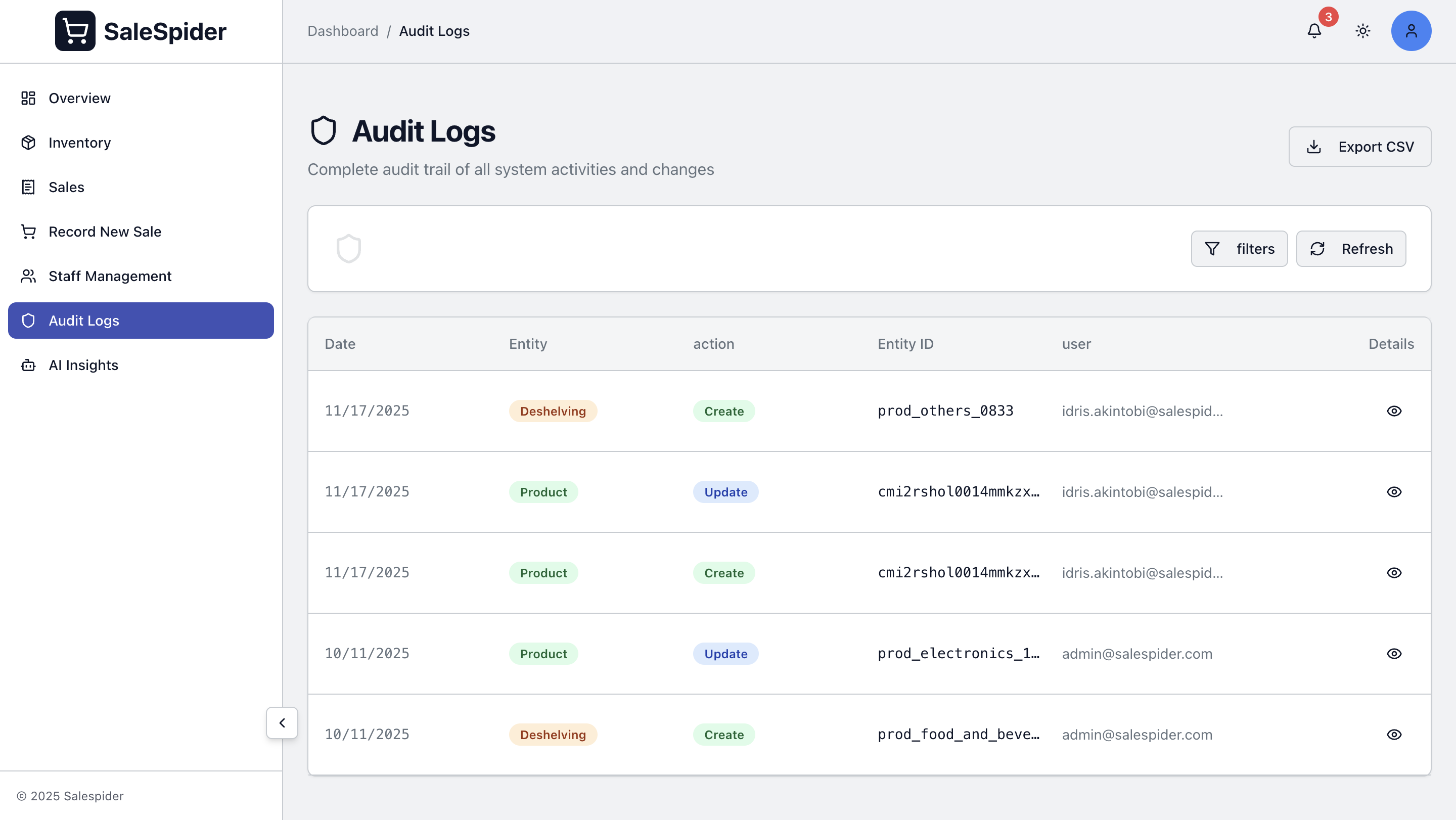
Audit Logging
Track security events:
- Login attempts
- Failed authentication
- Permission changes
- Data modifications
Security Checklist
Before going to production:
- ✅ Change all default passwords
- ✅ Use strong JWT_SECRET (32+ characters)
- ✅ Enable HTTPS with valid SSL certificate
- ✅ Configure firewall rules
- ✅ Enable rate limiting
- ✅ Set up backup encryption
- ✅ Restrict database access
- ✅ Review user permissions
- ✅ Enable audit logging
- ✅ Test security measures
Compliance
Data Protection
- GDPR considerations
- Data encryption
- Privacy policies
- User consent
Audit Requirements
- Activity logging
- Access logs
- Change tracking
- Retention policies
Troubleshooting
Authentication Issues
Check:
- JWT_SECRET is set correctly
- Token hasn't expired
- User has correct permissions
Rate Limit Issues
Adjust limits if legitimate users are blocked:
bash
RATE_LIMIT_MAX_REQUESTS=200SSL Certificate Issues
Verify:
- Certificate files exist
- Certificate is valid
- Domain matches certificate