
Sales Recording
Record transactions, manage sales, and track revenue.
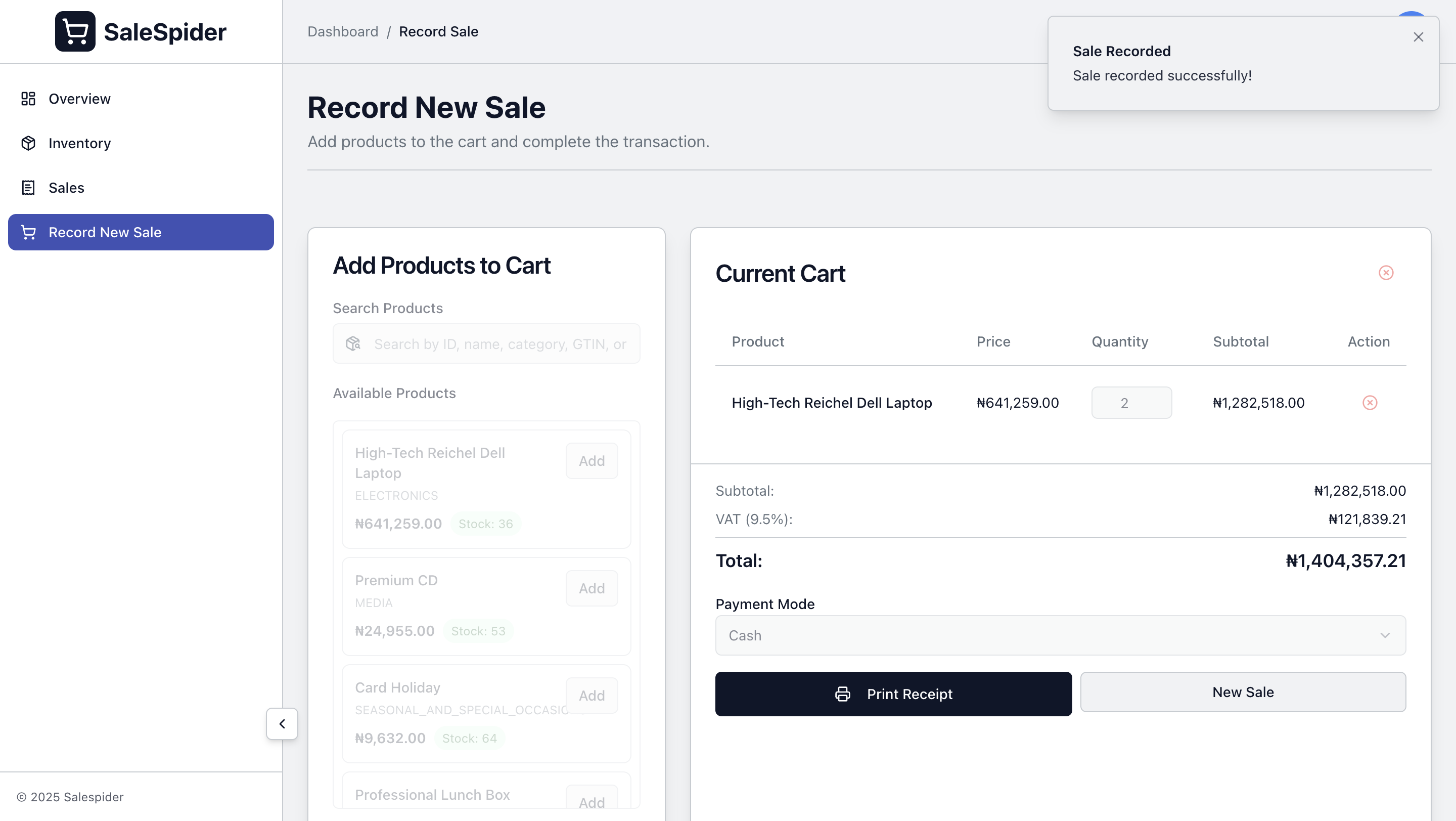
Record Sale Interface
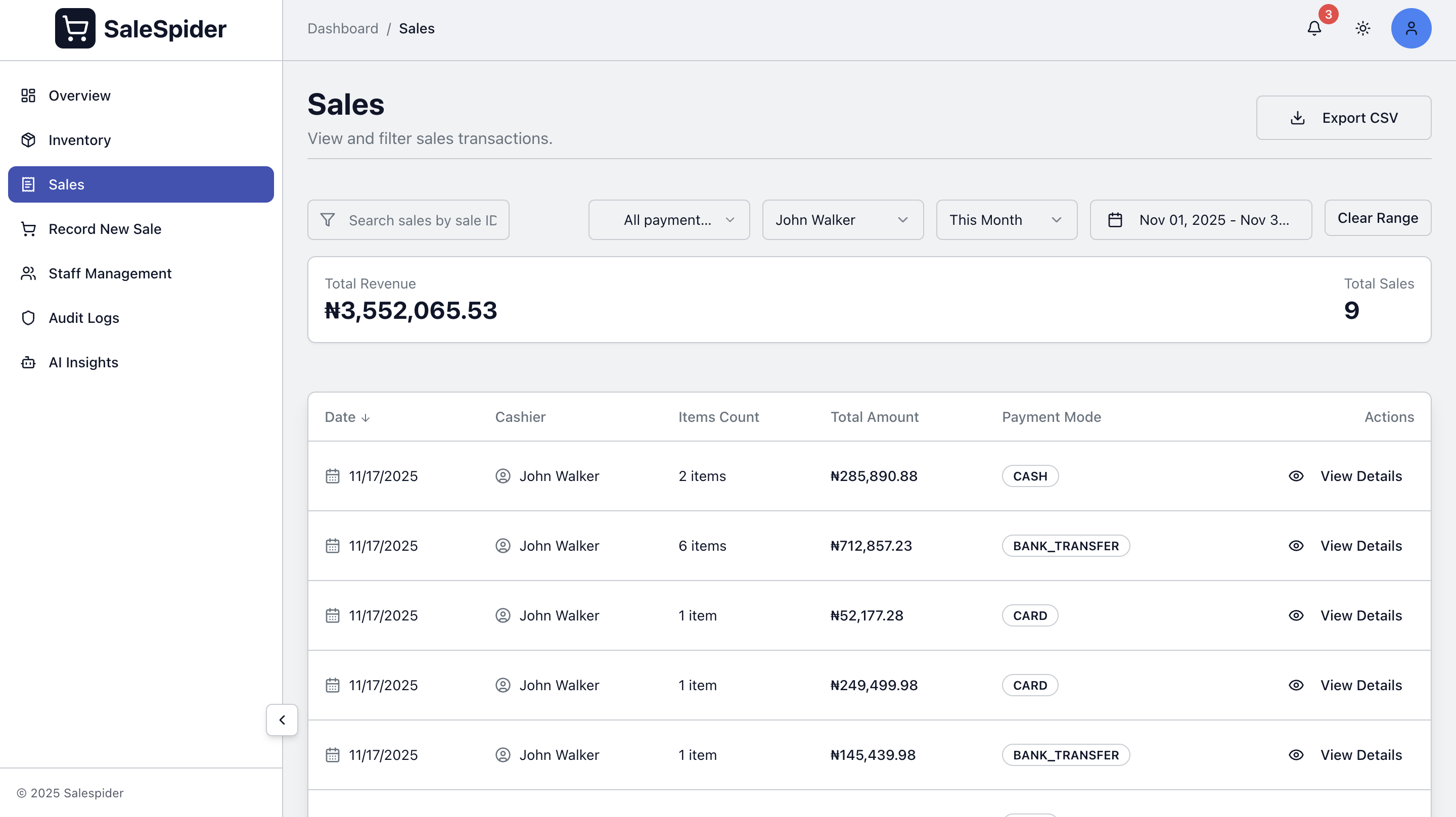
Sales History
Overview
- Fast transaction processing
- Multiple payment methods
- Automatic inventory updates
- Receipt printing
- Sales history
Recording a Sale
- Select Products - Search by name or browse product grid
- Adjust Quantities - Increase/decrease quantities or remove items
- Process Payment - Select payment method and complete transaction
- Print Receipt - Generate and print receipt
Payment Methods
Supported payment types:
- Cash - Enter amount received with automatic change calculation
- Card - Credit/debit card payments
- Bank Transfer - Bank transfer payments
- Crypto - Cryptocurrency payments
- Other - Other payment methods
Product Selection
- Search by product name with fuzzy matching
- Browse visual product grid
- Filter by category
- View product name, price, and available stock
Cart Management
- Add products to cart
- Adjust quantities
- Remove items
- Automatic stock availability validation
Transaction Processing
Each sale automatically:
- Validates cart items and stock
- Calculates totals with VAT
- Updates inventory
- Records transaction with ID, timestamp, cashier, items, and payment method
- Generates receipt
Receipt Management
Receipts include:
- Store information
- Transaction details
- Itemized list with prices
- Payment information
- Total amount
Print receipts using thermal or standard printers. Reprint past receipts from the sales history page.
Sales History
View all transactions with:
- Chronological listing
- Filter by date, cashier, or payment method
- Search by transaction ID
- Complete transaction details
Sales Analytics
View sales performance on the dashboard:
- Today's sales total
- Number of transactions
- Average transaction value
- Daily, weekly, and monthly trends
Multi-User Support
Multiple cashiers can process sales simultaneously with:
- Independent carts
- Shared inventory access
- Separate transaction logs
- Sales tracking per cashier
Export Data
Export sales data to CSV format for:
- Daily sales summaries
- Tax reports
- Payment method breakdown
- Revenue tracking
Troubleshooting
Sale Won't Complete
- Verify stock availability
- Check internet connection
- Review error messages
Product Not Found
- Check spelling
- Verify product exists
- Check category filters
Printer Issues
- Check printer connection
- Verify paper is loaded
- Check printer status
Related Features
- Dashboard - View sales analytics
- Inventory - Manage products and stock
- Staff Management - Manage cashiers
- AI Features - Get AI-powered insights